Integration Testing

Integration Testing: "Do Components Work Together?"
The tests that catch what unit tests can't — verifying that your services, databases, and APIs actually work together correctly.
What is Integration Testing?
Integration testing verifies that different modules/services communicate correctly when combined.
Component A works alone ✅
Component B works alone ✅
But do A and B work TOGETHER? ← Integration Test
Real-World Analogy:
Like testing a new bridge between two cities:
Individual Tests:
✓ City A's road system works
✓ City B's road system works
✓ Bridge structure is sound
Integration Test:
? Can cars actually drive from City A to City B via bridge?
? Do traffic signals coordinate properly?
? Do road signs align at connection points?
Integration Testing Example: E-commerce Order
Components involved:
-
[Frontend] - User Interface
-
[Auth Service] - User authentication
-
[Product Service] - Product catalog
-
[Cart Service] - Shopping cart
-
[Payment Service] - Payment processing
-
[Inventory Service] - Stock management
-
[Email Service] - Order confirmation
Integration Test: "Place an Order"
Step 1: Frontend → Auth Service
Action: User logs in
Verify: Auth token returned
Verify: Frontend stores token ✅
Step 2: Frontend → Product Service
Action: User searches products
Verify: Product list returned with prices
Verify: Frontend displays correctly ✅
Step 3: Frontend → Cart Service (with Auth)
Action: User adds product to cart
Verify: Auth token validated
Verify: Item added to user's cart
Verify: Cart total calculated ✅
Step 4: Cart Service → Inventory Service
Action: Check stock availability
Verify: Real-time stock checked
Verify: Cart shows "In Stock" or "Low Stock" ✅
Step 5: Frontend → Payment Service
Action: User enters payment info
Verify: Payment processed
Verify: Transaction ID returned ✅
Step 6: Payment Service → Inventory Service
Action: Deduct inventory
Verify: Stock count decremented
Verify: No overselling ✅
Step 7: Order Service → Email Service
Action: Send confirmation email
Verify: Email contains order details
Verify: User receives email ✅
Integration points tested:
✓ Auth token passed between services
✓ Product IDs match across services
✓ Price consistency
✓ Transaction atomicity (all or nothing)
✓ Data format compatibility
Types of Integration Testing:
1. Big Bang Integration
Test all components together at once:
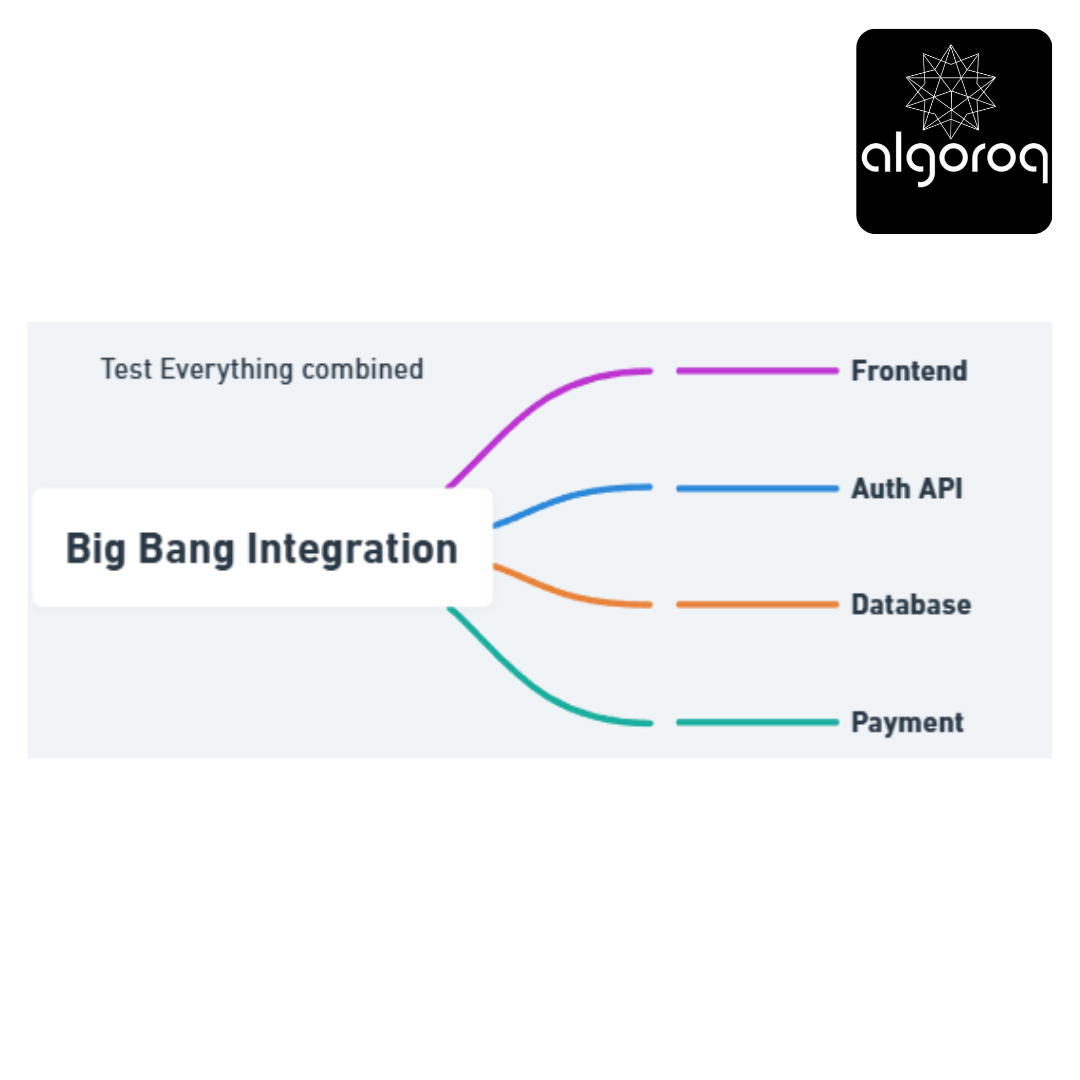
Pros: Fast to set up
Cons: Hard to debug when something fails
2. Incremental Integration
Test pairs,
then gradually add more:
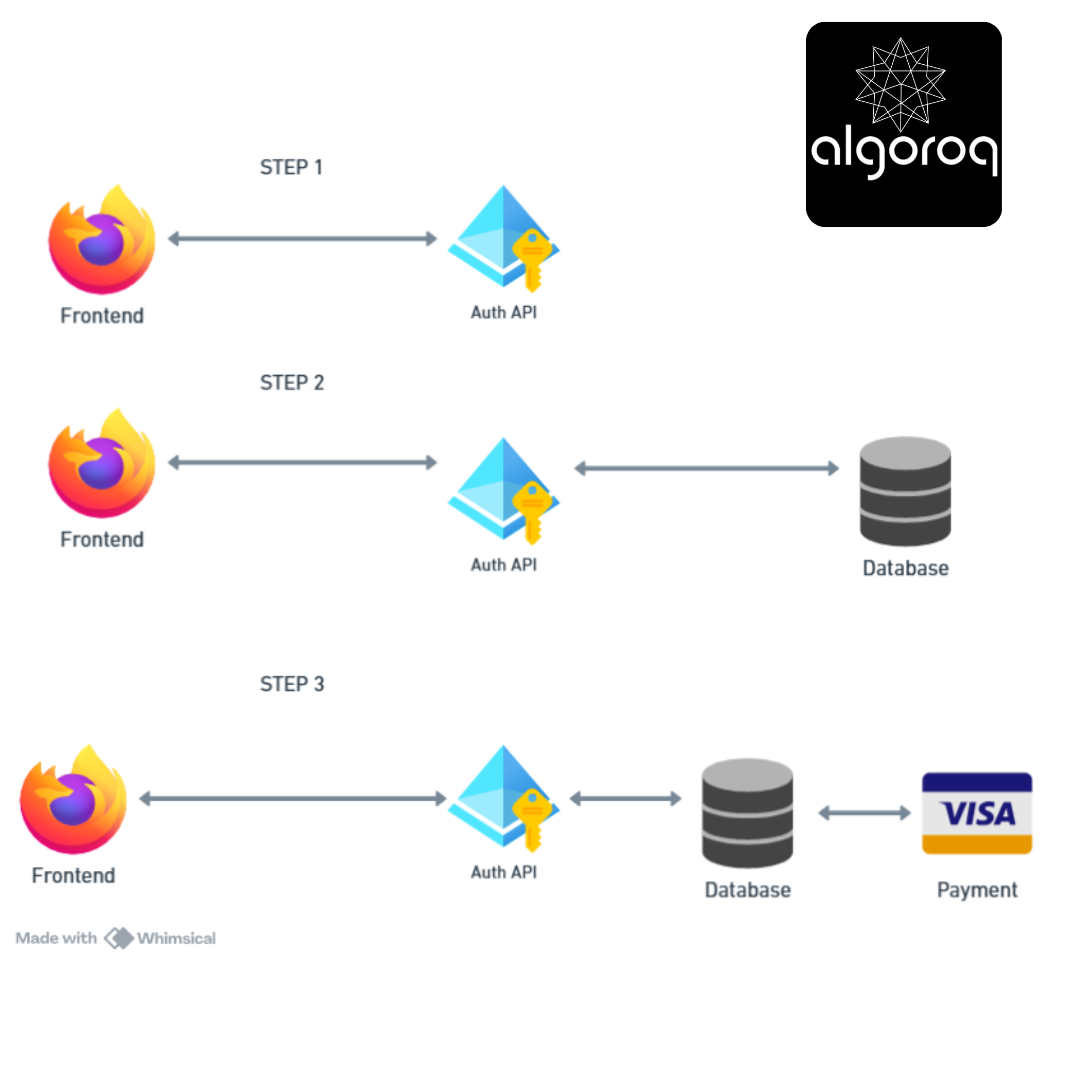
Pros: Easy to isolate issues
Cons: Takes more time
3. Top-Down Integration
Start from UI, stub lower components:
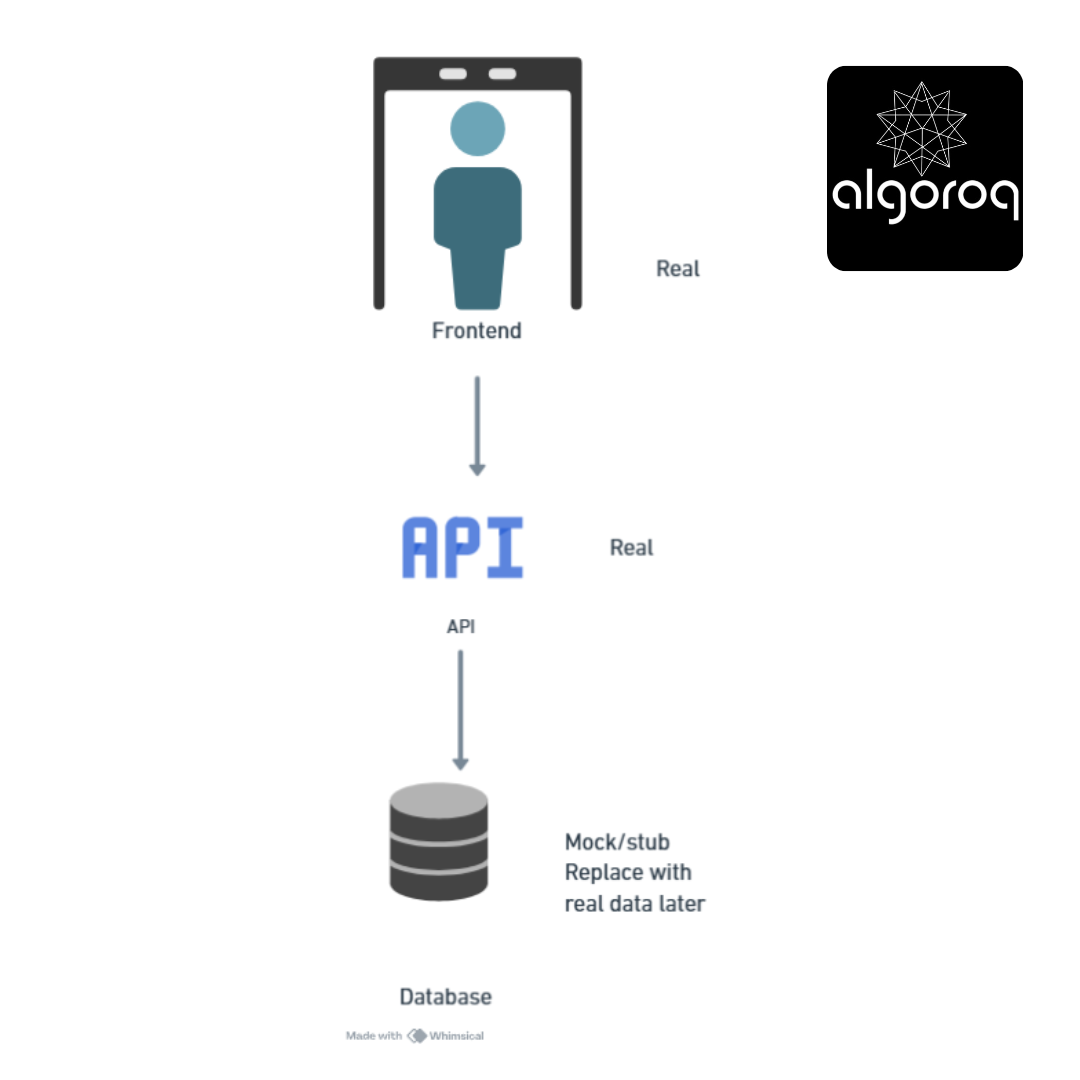
Test top-level flow first, replace stubs incrementally
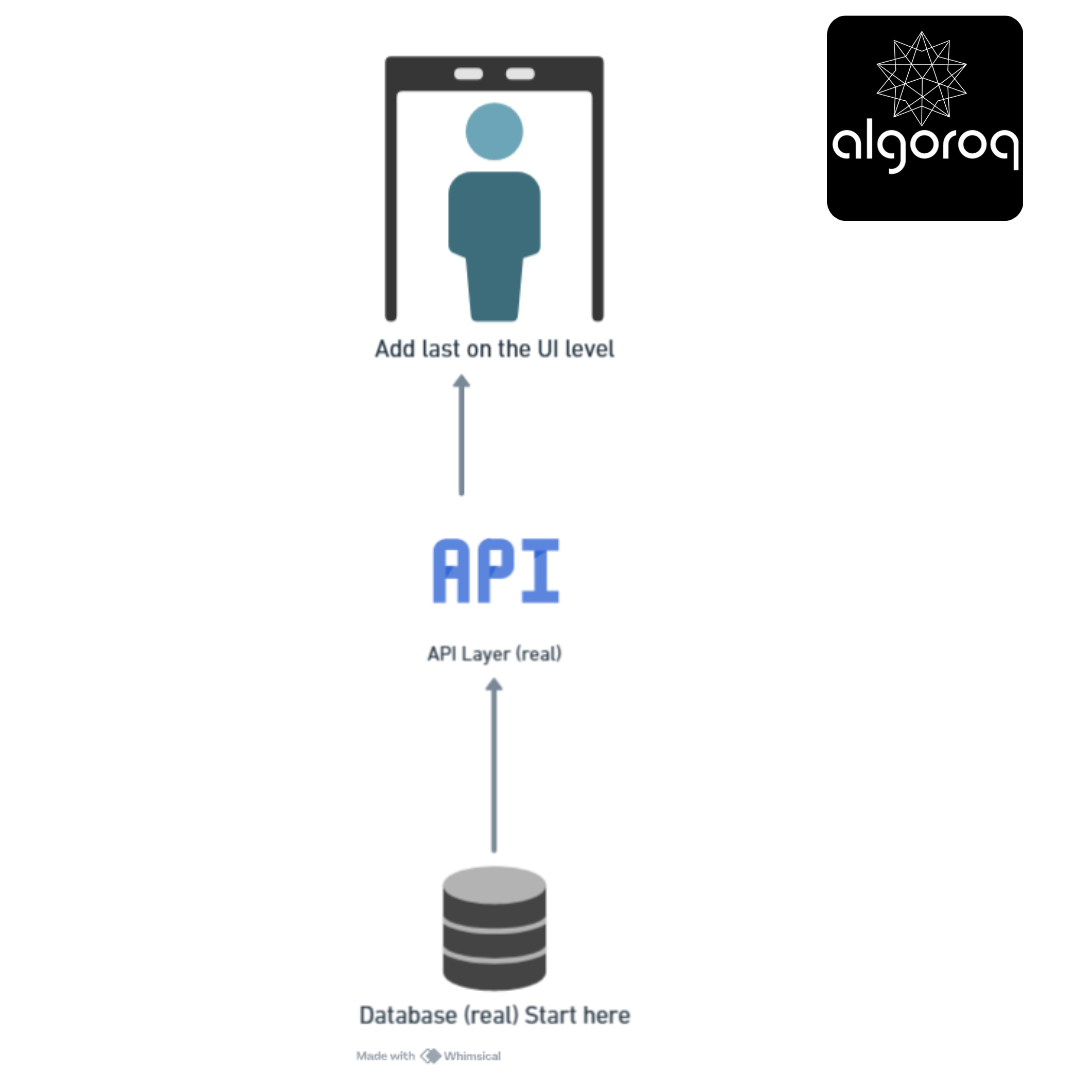
4. Bottom-Up Integration
Start from database, build up:
Common Integration Issues Caught:
❌ Data format mismatch
Service A sends: { "date": "2024-01-15" }
Service B expects: { "date": "01/15/2024" }
Result: Parse error! 💥
❌ Authentication token expired
Service A: Calls Service B after 1 hour
Service B: "Token expired"
Result: Request fails! 💥
❌ Race condition
Service A: Updates inventory
Service B: Reads inventory (at same time)
Result: Wrong stock count! 💥
❌ Timeout
Service A: Waits for Service B response
Service B: Takes 60 seconds
Service A: Timeout at 30 seconds
Result: Request fails! 💥
Key characteristics:
- 🔗 Component interaction: Focus on interfaces between services
- 🎭 Can use mocks/stubs: Replace some components during testing
- 🐛 Catches integration bugs: Finds issues unit tests miss
- ⚙️ API contracts: Verifies services speak same language
Key Takeaways
- Integration tests verify that components work together correctly — testing the boundaries between services, databases, and APIs
- Use real dependencies when possible — testcontainers and Docker make it easy to spin up real databases and services in tests
- Integration tests are slower than unit tests but catch different bugs — connection issues, serialization problems, and query errors
- Test at the API boundary — send real HTTP requests to your service and verify the full response
Unlock with Pro
Unlock the full content and everything at this level.
Get Pro — $9/moAlready a member? Log in