Fundamentals of Event Streams

Fundamentals of Event Streams
Event Streams:
The Never-Ending Data River: Time Travel for Your Application
🎯 Challenge 1: The Bank Statement Problem
Imagine this scenario: You need to know your current bank balance, but you also want to understand how you got there.
Traditional Database Approach
Database Table:

Questions you CAN'T answer:
- ❌ How did we get to $1,542?
- ❌ What transactions happened last month?
- ❌ Can we audit the account history?
- ❌ What if we need to recalculate?
Event Stream Approach
Event Log (Immutable):
Current balance calculation:
Questions you CAN answer:
- ✅ Replay all transactions to verify
- ✅ Query any time period
- ✅ Audit trail for compliance
- ✅ Rebuild balance at any point in time
- ✅ Multiple views (by month, by category, etc.)
Pause and think: What if instead of storing the current state, you stored every event that ever happened?
The Answer: Event Streams
Event streams are immutable, append-only logs of events. They're like a video recording versus a snapshot photograph:
- ✅ Never delete events (permanent record)
- ✅ Events are in chronological order (time-ordered)
- ✅ Can replay from any point (time travel!)
- ✅ Multiple consumers read independently (parallel processing)
- ✅ Source of truth for what happened (audit trail)
Key insight: Event streams transform the question from "What is the current state?" into "What happened, in order?"
🎬 Interactive Exercise: Snapshot vs Event Stream
Database Snapshot (Current State)
Users Table:
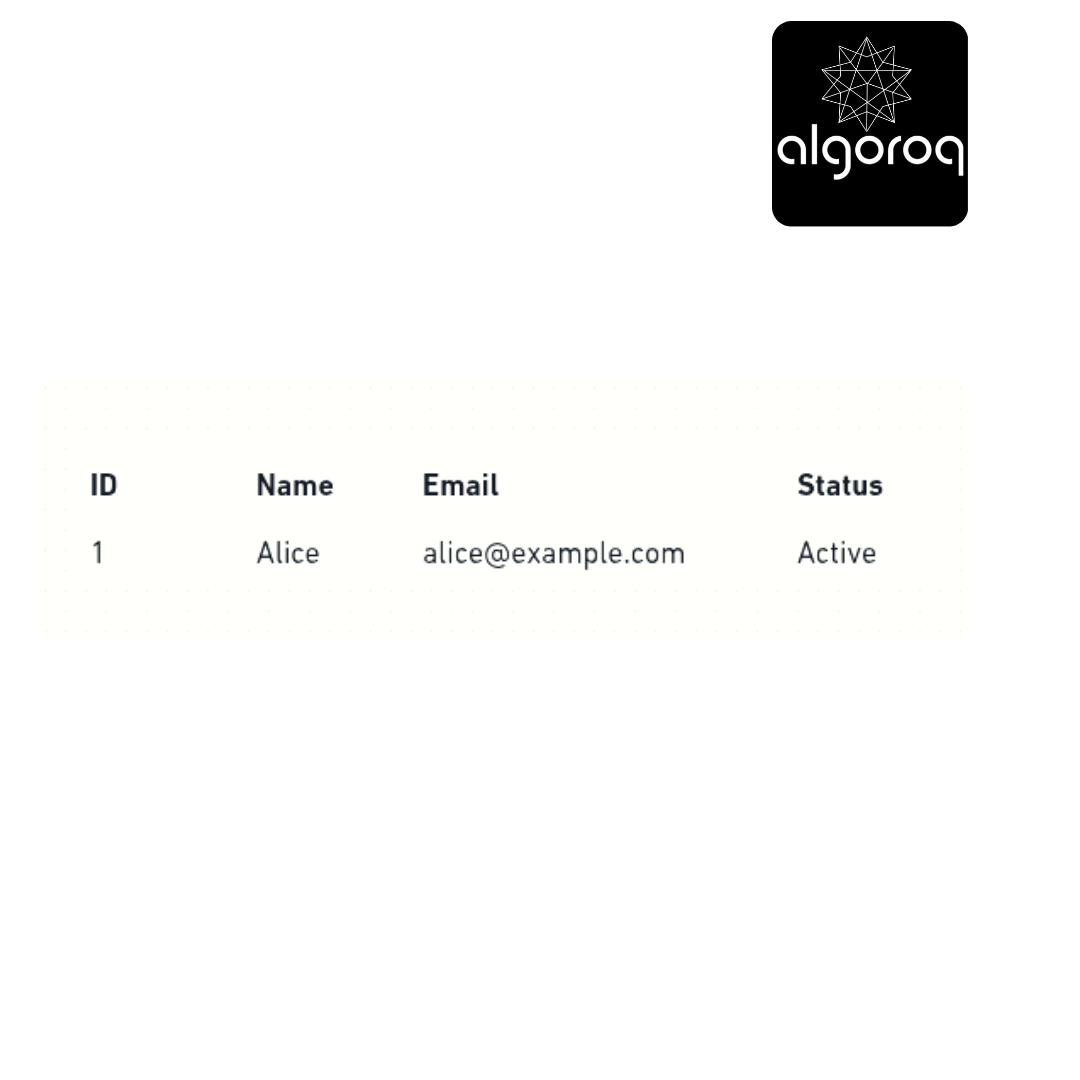
What you know:
- Alice's current status is Active
- Her current email
What you DON'T know:
- ❌ When did she join?
- ❌ Did she ever change her email?
- ❌ Was she ever inactive?
- ❌ What was her journey?
Event Stream (Complete History)
Event Log:
Current State (computed from events):
- Name: Alice
- Email: alice@example.com (changed 2 times!)
- Status: Active (was suspended for 35 minutes!)
What you KNOW:
- ✅ Complete timeline
- ✅ All state changes
- ✅ Can answer "what happened at 10:45?"
- ✅ Can rebuild state at any timestamp
- ✅ Perfect audit trail
Real-world parallel: A database is like a photograph capturing one moment in time. An event stream is like a video recording that captures the whole story.
🏗️ Core Event Stream Concepts
1. Events (The Facts)
An event is an immutable fact about something that happened in the past.
Event structure:
Characteristics:
2. Stream (The River)
A stream is an ordered sequence of events flowing through time.
Visual representation:
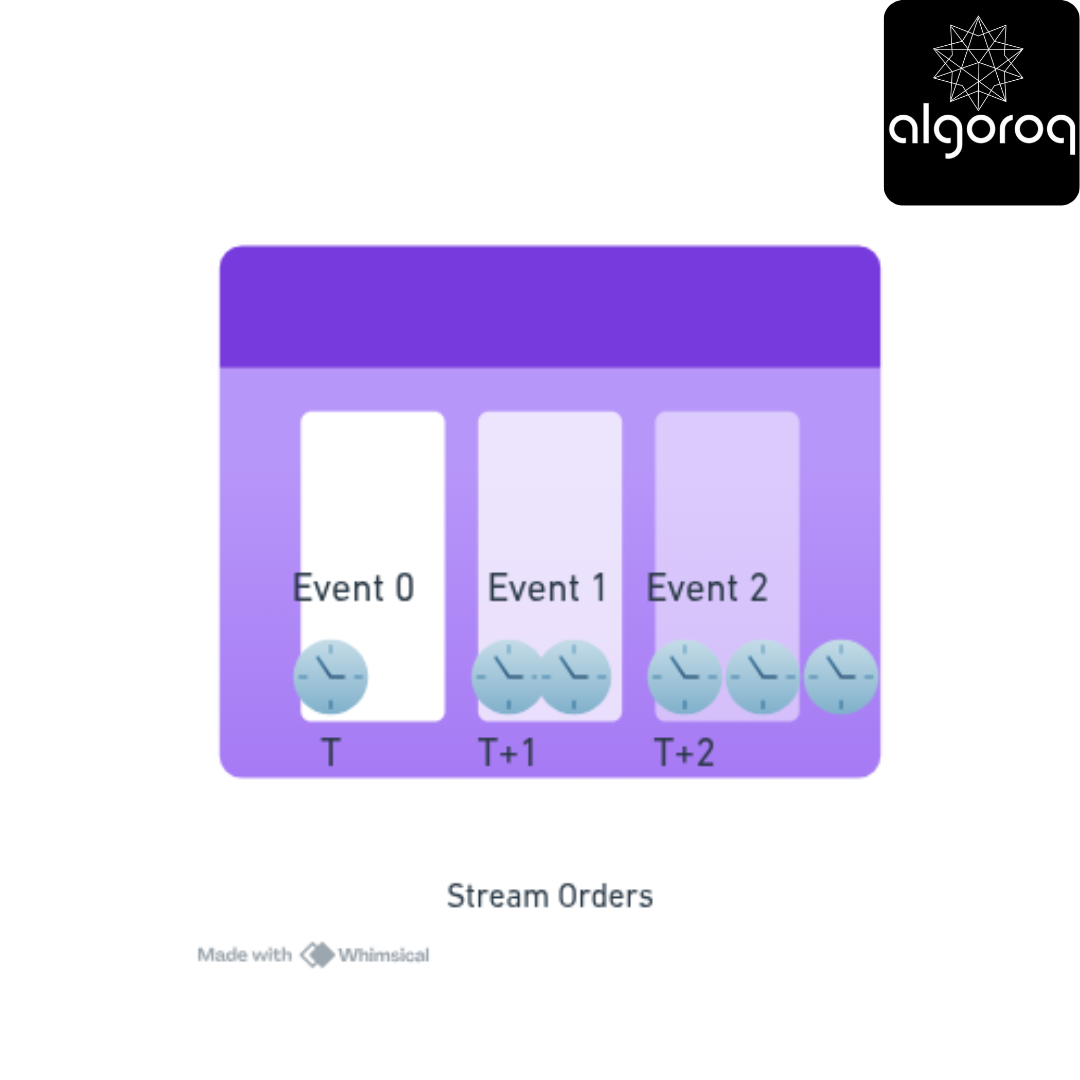
Time flows →
Features:
3. Offset/Position (The Bookmark)
Each event has a position in the stream, like a line number in a book.
Stream positions:

Each consumer tracks their own position independently!
4. Consumers (The Readers)
Multiple independent readers can consume the same stream at different paces.
Multiple consumers diagram:
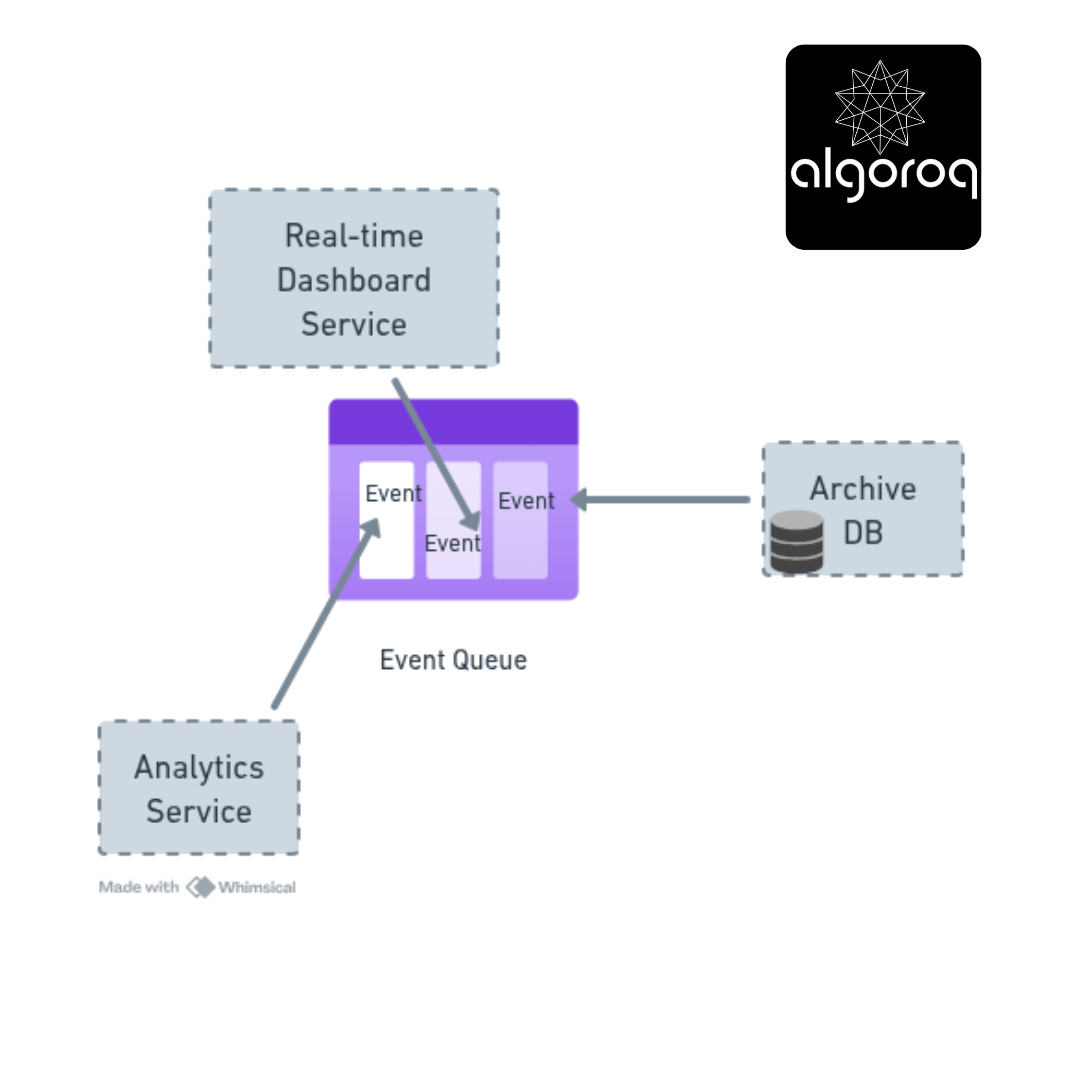
Each consumer:
📊 Complete Flow Example
Producer writes events:
Events are stored permanently (with configurable retention policies).
Consumers read independently:
Visual flow:
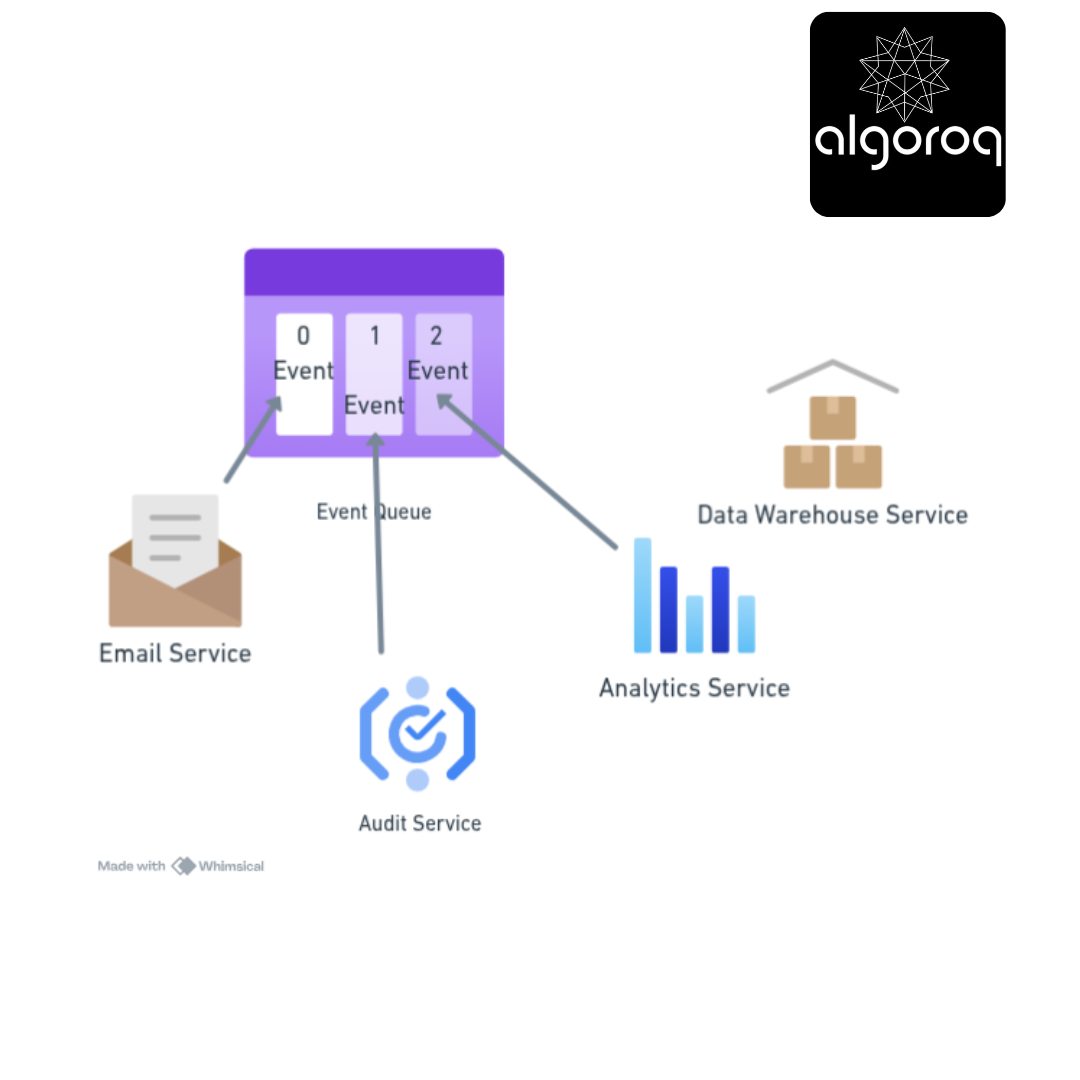
New Consumer can join anytime:
When a Recommendation Engine joins later:
Real-world parallel:
- Event = Transaction on bank statement
- Stream = Bank statement (all transactions)
- Offset = Line number you're reading
- Consumers = Different people reading the statement
🎮 Decision Game: Event Stream vs Traditional Database?
Match each use case to the best approach.
Scenarios:
A. Store user's current profile B. Track all user actions for analytics C. Shopping cart contents D. Financial transaction ledger E. Show real-time stock price F. Audit trail for compliance G. Simple CRUD application H. Event sourcing system
Options:
- Traditional Database (current state)
- Event Stream (complete history)
Think about: Do you need the history or just the current state?
Answers:
A. User profile → Database (1) You only need the current state, not the history.
B. User actions → Event Stream (2) Analytics needs the complete history to identify patterns.
C. Shopping cart → Database (1) Current items matter most, not the history of what was added/removed.
D. Financial ledger → Event Stream (2) Audit trails are critical; you can't lose any transactions.
E. Stock price → Database (1) + Stream (2) Store the current price in the database, maintain history in the stream.
F. Audit trail → Event Stream (2) By definition, audit trails need the complete history.
G. CRUD app → Database (1) Simple create/read/update/delete operations work best with traditional databases.
H. Event sourcing → Event Stream (2) Events ARE the source of truth in event sourcing architectures.
🚨 Common Misconception: "Event Streams Are Just Logs... Right?"
You might think:
"Event streams are just application logs with a fancy name."
The Reality:
Event streams are a first-class data source with structured business events!
Application Logs (Different Purpose):
Characteristics:
- Purpose: Debugging, troubleshooting
- Format: Human-readable text
- Structure: Unstructured or semi-structured
- Retention: Days to weeks
- Consumption: Humans, log analysis tools
Event Streams (Business Events):
Characteristics:
- Purpose: Business logic, data processing
- Format: Structured (JSON, Protobuf, Avro)
- Structure: Well-defined schema
- Retention: Months to forever
- Consumption: Services, analytics, ML models
Comparison diagram:

Real-world parallel:
- App logs = Security camera footage (for diagnostics)
- Event streams = Business transaction receipts (business data)
🎯 Key Takeaways
-
Event streams store history, not just state - They preserve the complete story of what happened.
-
Events are immutable facts - Once written, they never change, providing a reliable audit trail.
-
Multiple consumers can read independently - Each service processes events at its own pace without affecting others.
-
You can replay and rebuild - Time travel through your data by replaying events from any point.
-
Different from application logs - Event streams are structured business data, not debugging information.
-
Choose based on your needs - Use traditional databases for current state, event streams for complete history.
Unlock with Pro
Unlock the full content and everything at this level.
Get Pro — $9/moAlready a member? Log in